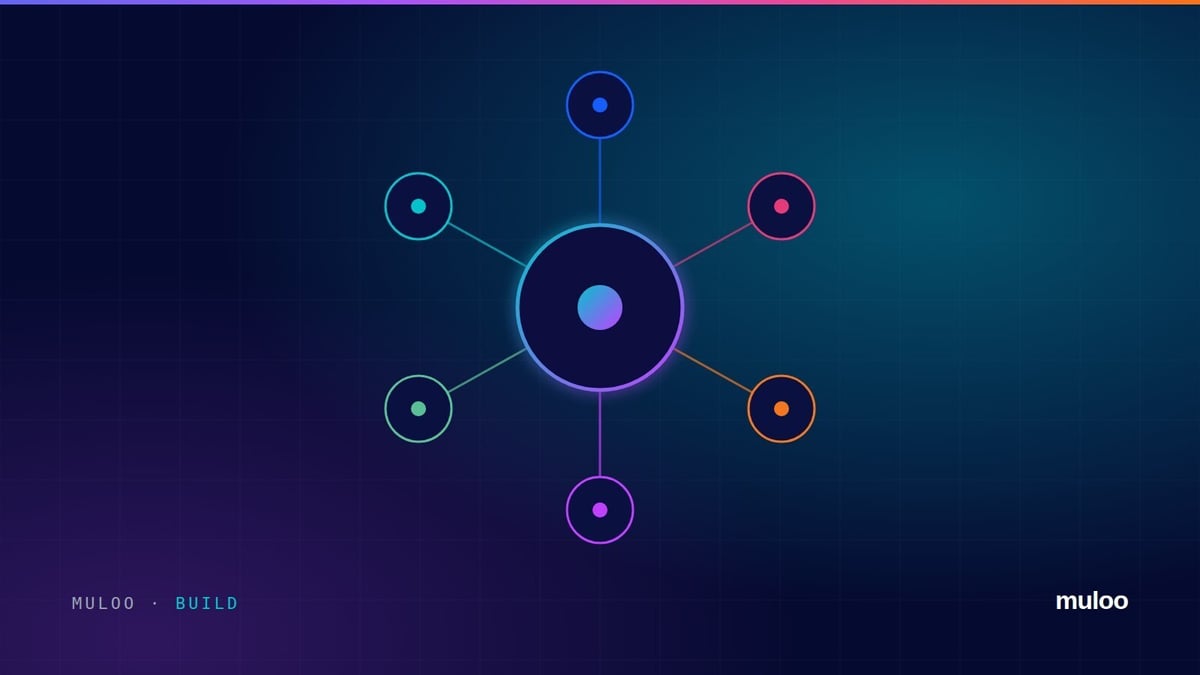
HubSpot is a customer platform built on one CRM database. Contacts, companies, deals and tickets sit at the centre, and hubs for marketing, sales, service, content, data and commerce all read and write the same records. Your teams get one view of the customer without anyone exporting a spreadsheet.
That shared database is the whole point. Marketing can see which campaign a customer came from, sales can see every email they opened, and service can see what they bought. Nobody has to stitch three systems together to answer a simple question about a customer.
What each hub does
| Hub | What it is for |
|---|---|
| Smart CRM | The core: contacts, companies, deals, tickets, activity history and basic reporting. There is a free version. |
| Marketing Hub | Email, forms, landing pages, automation, ads, lead scoring and campaign reporting |
| Sales Hub | Pipelines, sequences, meetings, quotes, forecasting and sales reporting |
| Service Hub | Help desk, tickets, knowledge base, customer portal and feedback |
| Content Hub | Website pages, blog, themes, multi-language sites and AI content tools |
| Data Hub | Data sync with other systems, data quality tools and custom automation |
| Commerce Hub | Payments, invoices, subscriptions and quotes |
Every hub uses the same records, so a deal in Sales Hub, a ticket in Service Hub and an email in Marketing Hub all sit on the same contact.
How you buy HubSpot in 2026
How you buy HubSpot depends on where you are and when you joined.
Since 1 October 2026, new HubSpot portals in Europe, the Middle East and Africa (the UK and South Africa included) buy one edition for the whole portal: Starter, Professional or Enterprise. You then pay for seats, split into GTM seats for the people who sell, market and serve customers and Ops seats for the people who run the system. Each portal also gets a monthly pool of HubSpot Credits. Emails HubSpot sends, most workflow actions and AI agent work use credits.
Buying in the US or Australia? You're on HubSpot's hub-based pricing for now, which means choosing a hub and an edition for each one, the way HubSpot has been sold for years. HubSpot hasn't said when other regions move.
Already a HubSpot customer? Your renewal terms depend on your contract. Check your current agreement before you assume the new prices apply to you.
Either way, the cost comes down to three things: the edition you need, how many people need a paid seat, and how much email and automation you run. Our HubSpot pricing guide has current prices and worked examples. If you want a number for your own team, the HubSpot pricing calculator gives you an estimate.
What HubSpot is good at
- Adoption. People actually use it, which is the difference between a CRM and a database nobody updates.
- One view of the customer across marketing, sales and service.
- Speed to value. A well-scoped onboarding is live in four to eight weeks, not quarters.
- Automation that operations people can build and maintain without a developer.
- AI built in, working on your own CRM data rather than a copy of it.
Where it needs care
HubSpot is easy to start and easy to make a mess of.
Because anyone can create a property or a workflow, portals drift. Two years in, many have duplicate fields, workflows nobody owns and reporting nobody trusts. The fix is rarely a different platform. It is architecture decided up front and governance that keeps it that way.
On the new seats-and-credits model, mess also costs money. Most workflow actions and the emails HubSpot sends use credits, so a workflow nobody owns can quietly burn through your monthly pool.
The edition matters too. Buying Starter to save money and then rebuilding on Professional six months later costs more than getting the edition right the first time.
Already on HubSpot and not sure it's set up well? Our free portal score checks your portal in minutes and shows the top issues, with the fix for each. The HubSpot Audit goes deeper: 58 portal checks, root-cause analysis and a guide to fixing issues yourself.
Is HubSpot right for you?
It is usually a strong fit if you:
- Sell business to business, or run a considered sale with more than one conversation
- Want marketing, sales and service working from the same records
- Would rather your team configured the system than waited on developers
Look harder if your process depends on heavy industry-specific functionality or deep ERP logic. HubSpot integrates well with ERP and finance systems, but it shouldn't pretend to be one.
Weighing it up against Salesforce? Our HubSpot vs Salesforce guide covers which fits which kind of revenue team. Comparing more than two options? See our guide to CRM software in South Africa.
Getting started properly
- Write down how you sell. Stages, handoffs and what counts as a qualified lead, before you configure anything.
- Design the data model. Objects, properties and required fields, agreed by the people who will use them.
- Build the pipeline and automation around that process, not around the demo.
- Train by role and check in two weeks later, once people are actually in the system.
HubSpot requires Professional and Enterprise accounts to go through an approved onboarding process. Buy through a partner and you get guided onboarding, set up around how your business actually works, typically in four to eight weeks. When Muloo onboards you, you pay Muloo for onboarding, not a separate HubSpot onboarding fee. Here's how our HubSpot onboarding works.
FAQ
What is HubSpot used for? Running marketing, sales and customer service from one CRM, so every team works from the same customer records. Most teams use it for email and campaigns, sales pipelines, customer support and reporting across all three.
Is HubSpot a CRM? Yes. HubSpot's Smart CRM is the core, and every hub is built on top of it.
Is HubSpot free? The core CRM has a free version. Paid editions add automation, reporting and more users, and on the new model they're priced by edition, seats and credits. Our HubSpot pricing guide explains how.
How much does HubSpot cost? It depends on the edition, how many people need seats and how much email and automation you run. See our HubSpot pricing guide for current prices and worked examples.
Is HubSpot good for small businesses? Often, yes. Starter covers the basics for small teams. Choose the edition that matches the automation and reporting you'll need within the next year, not just today.
Are you a HubSpot partner? Yes. Muloo is a technical HubSpot partner and a HubSpot Gold Solutions Partner of about ten years, listed on the HubSpot Solutions Directory. You work directly with the engineer who builds your HubSpot, not an account manager. We document what we build and hand it over. No lock-in.
Want help choosing the right setup? Book a 45-minute call with the engineer who would build it.