Skip to content

HubSpot website build

Your website should be your best salesperson. Not a brochure.

A HubSpot CMS build that answers the buyer’s pain point, gets cited by ChatGPT and Google, converts when they are ready and nurtures when they are not. On a theme your marketing team runs without a developer, with every visit landing in the CRM.

A named specialist replies within one working day.

Typical duration
Three to fourteen weeks
What you supply
Brand, copy direction, approvals
Content Hub tier
Scoped to the tier you own

Teams who have handed us the keys

  • EPI-USE
  • W.consulting
  • Reos Partners
  • Phillips Law
  • Magnisol
  • Transnova Africa
  • Tarsus
  • Salon500

What is a HubSpot website build?

A website built on HubSpot CMS using a custom theme and a library of drag-and-drop modules, so marketers assemble pages without developer time. Content, forms, CTAs and personalisation run off the same CRM as sales, which is what makes attribution possible.

Why have one

A brochure site is a cost. Your website should be your best salesperson.

It is on every call before you are. It should answer the buyer’s actual pain point, get found when they ask ChatGPT or Google who to talk to, convert them when they are ready and nurture them when they are not. If it does none of that, it is not clear why you have one.

  • Answer the pain point

    Symptom-led IA · smart content by lifecycle stage

    Buyers arrive with a symptom, not a product name. Pages are structured around what is broken for them, and route them to the fix in one click.

  • Get found, including by AI

    Schema.org · FAQ and HowTo blocks · topic clusters

    ChatGPT, Perplexity and Google AI Overviews cite pages with clear headings, direct answers and real schema. We build the content blocks they quote.

  • Convert when ready

    CRM forms · meetings · smart CTAs · attribution

    Forms, meetings, calculators and chat sit where intent peaks, and every submission creates or updates a CRM record with full attribution.

  • Nurture when not

    Lists · workflows · personalisation tokens

    Most visitors are not ready today. Lists, sequences and personalised return visits keep the conversation going without a human chasing.

Pushing what HubSpot can do

Things people are told HubSpot cannot do. All live, all on HubSpot.

A theme is the floor, not the ceiling. These are the builds where the brief started with “can HubSpot even…” and the answer was yes.

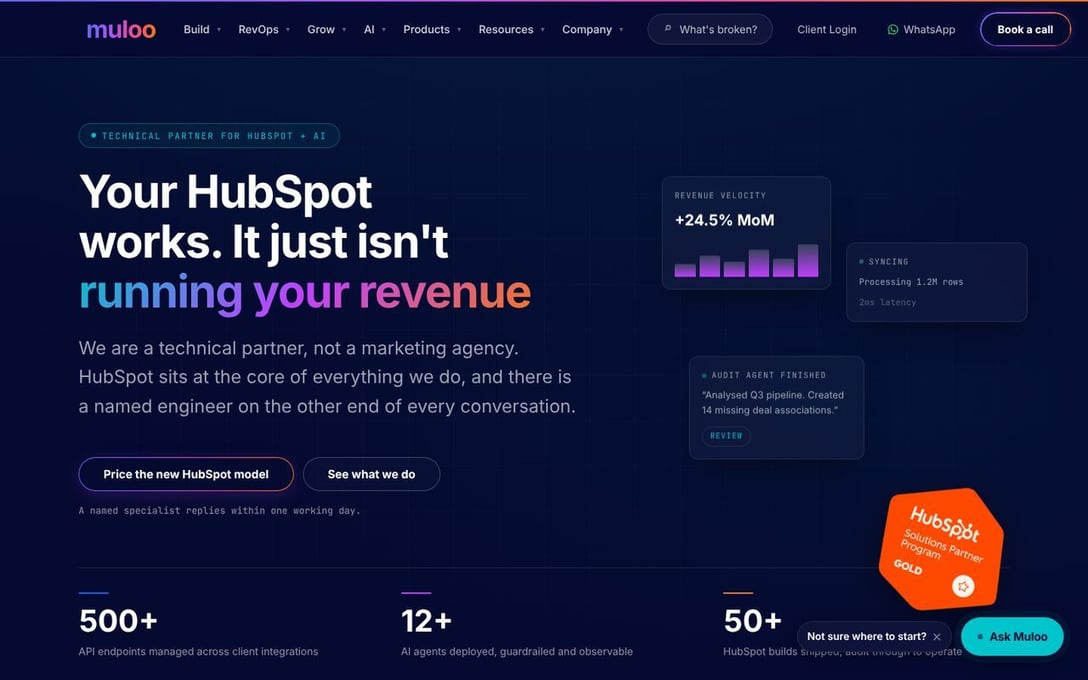
Screenshot of wearemuloo.com · Ask Muloo

wearemuloo.com · Ask Muloo

A visitor describes what is broken. The agent says what it is, what we would do and where to start.

Guardrailed to our own solutions content, every conversation lands on the contact record, and it hands off to a person when it does not know. The site qualifies before anyone picks up the phone.

See it live

// how it is built

  • HubSpot Customer Agent on the site chat
  • Answers only from our own solutions content
  • Conversation written to the contact timeline
  • Hands off to a named person, not a queue
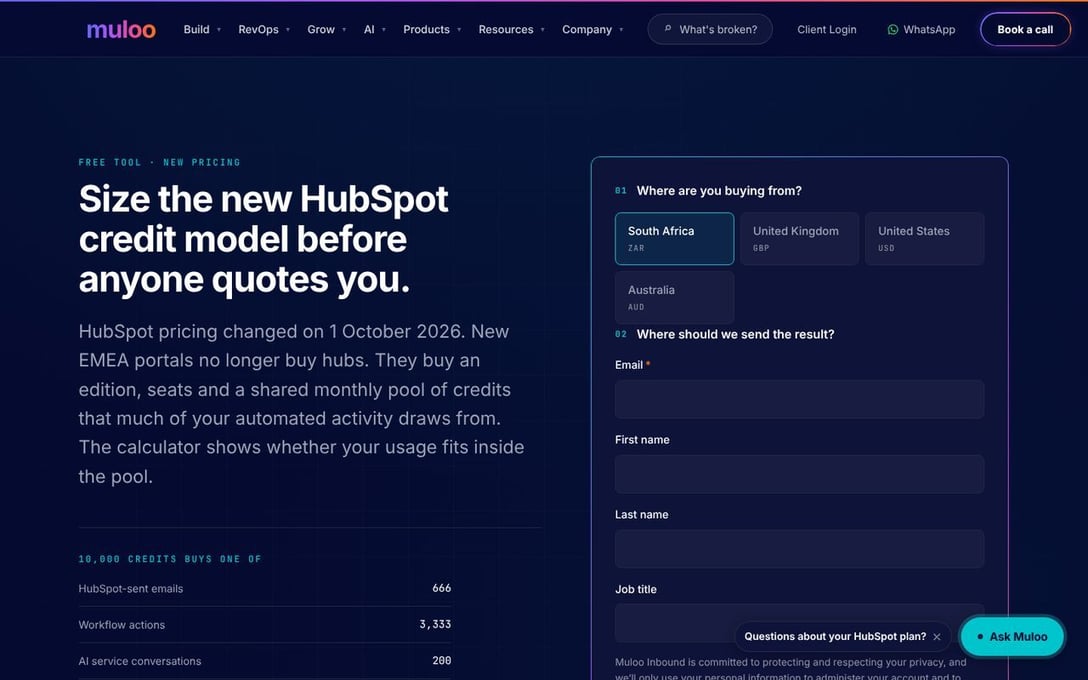
Screenshot of wearemuloo.com · pricing calculator

wearemuloo.com · pricing calculator

Size seats and credits on your own numbers, and the result lands on your contact record.

HubSpot asks once, then hands the visitor to the tool without asking again. Inputs and results go back onto the contact, so sales opens the call already knowing the budget.

Try it

// how it is built

  • Gate form on HubSpot, one ask only
  • Lead passed to the tool, never asked twice
  • Ads ROI calculator as a native HubSpot module
  • Results written back to custom properties
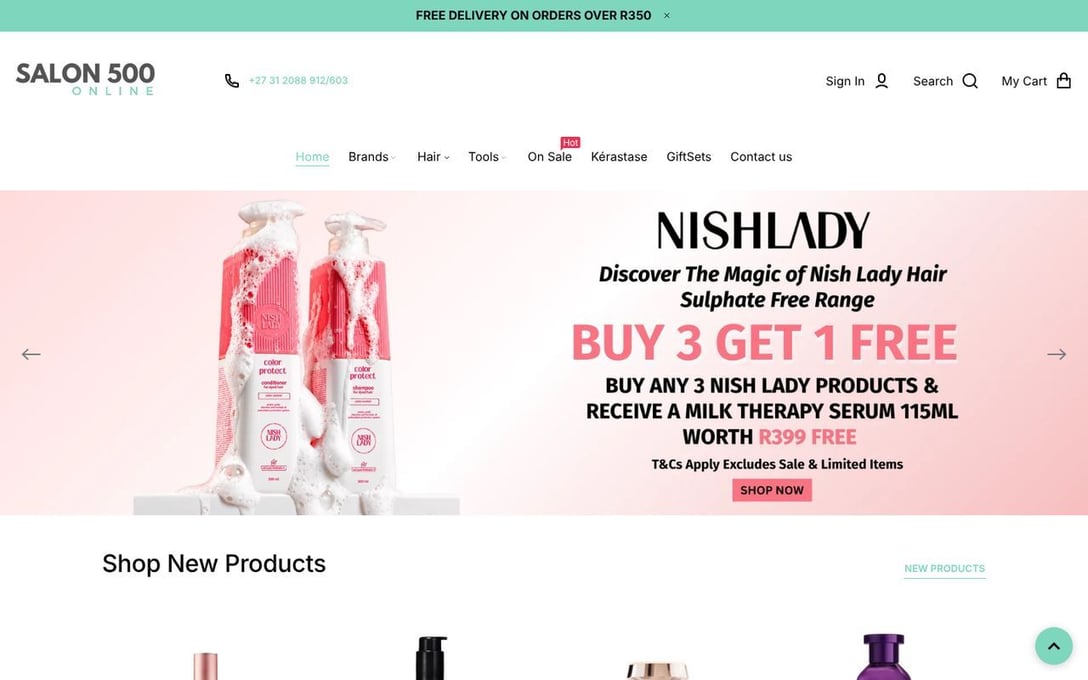
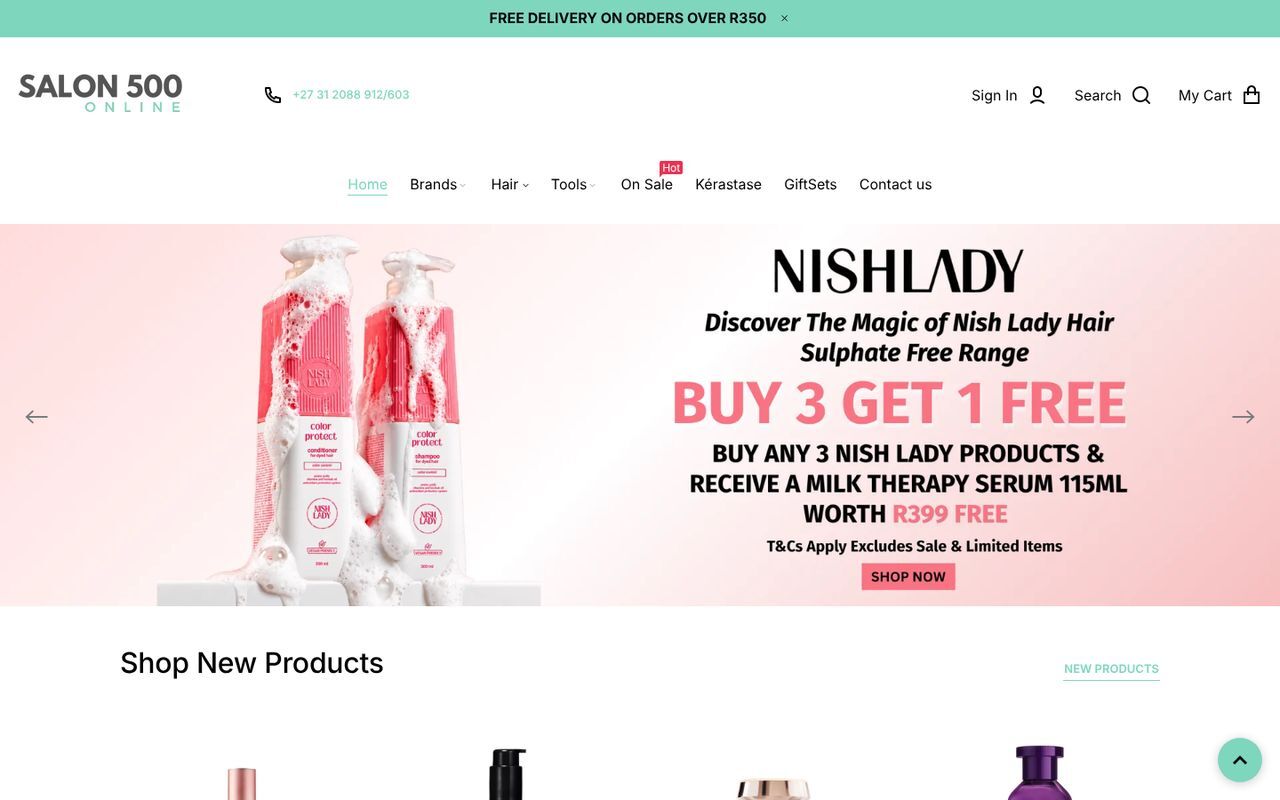
Screenshot of Salon500

Salon500

Products, stock and pricing from Shopify, shown in HubSpot modules, with orders on the CRM record.

Marketing edits the pages. Shopify owns the catalogue. HubSpot owns the customer. Nobody copies a price into two places.

See it live

// how it is built

  • Live Shopify products in HubSpot modules
  • Orders and customers synced to HubSpot
  • Abandoned cart and repeat purchase workflows
  • One brand across store and content pages
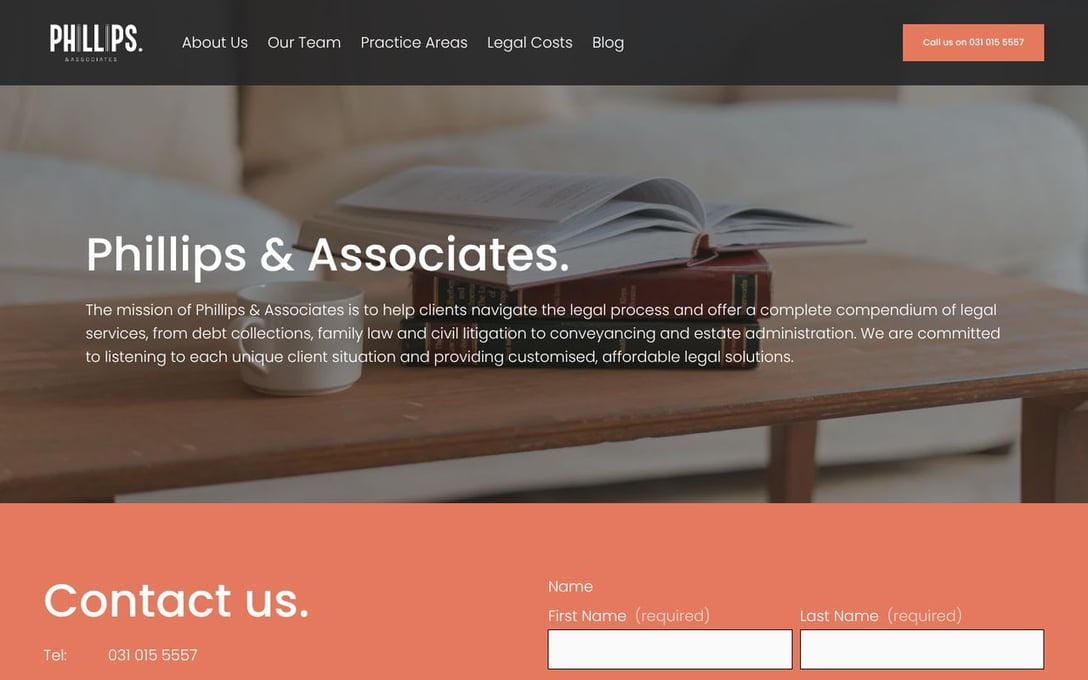
Screenshot of Phillips Law

Phillips Law

Clients log in to their own portal, on the same platform and theme as the public site.

Migrated off a legacy stack onto HubSpot. The marketing team runs the public site themselves, and sales and service see who engaged with what.

See the site

// how it is built

  • Client portal behind a login
  • Same module library as the marketing site
  • Migrated off a legacy stack
  • Run by the marketing team, no developer
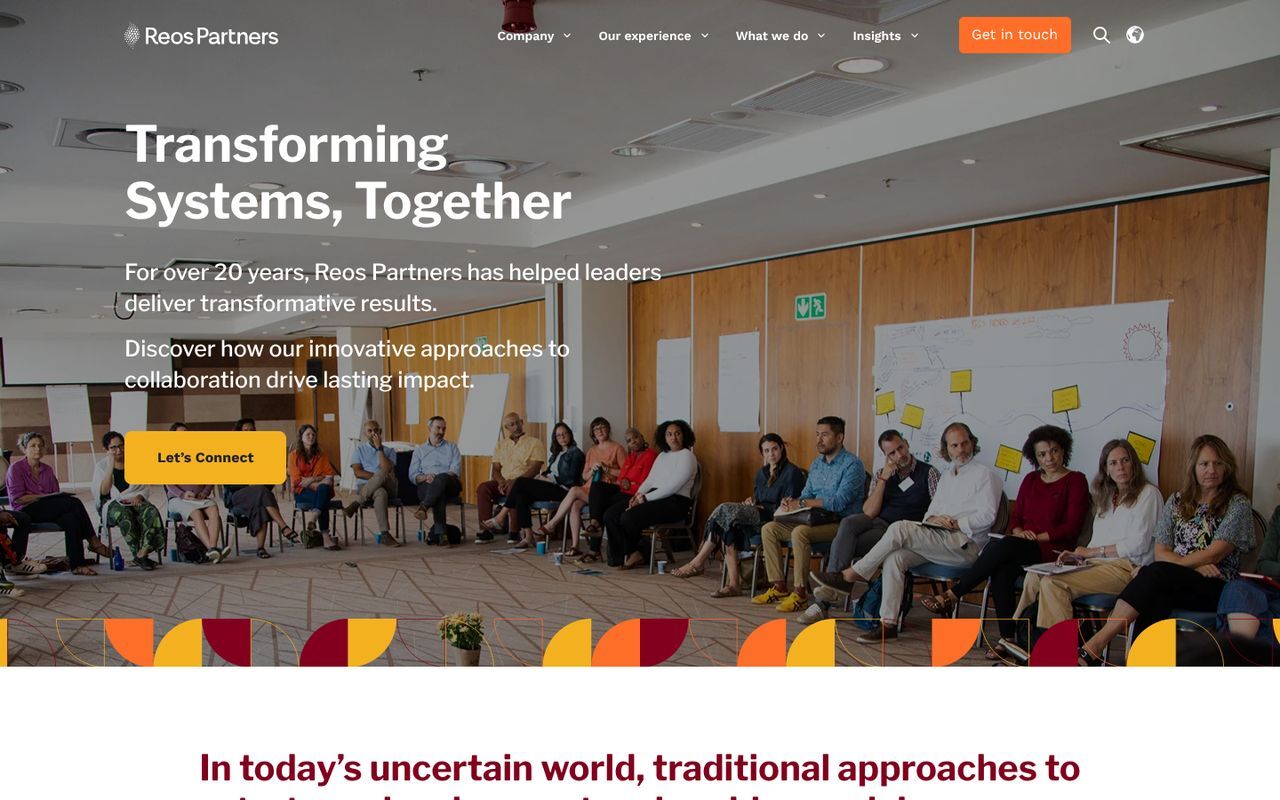
Screenshot of EPI-USE Australia · Brasil

EPI-USE Australia · Brasil

Regional sites in English and Portuguese, each run by its own team, on one versioned theme.

A fix shipped once reaches every region. Brand settings per site, shared modules, and language handled in the template.

See it live

// how it is built

  • One theme across regional sites
  • Language variants and hreflang in templates
  • Per-site theme settings for regional brand
  • Shared module library, versioned in Git
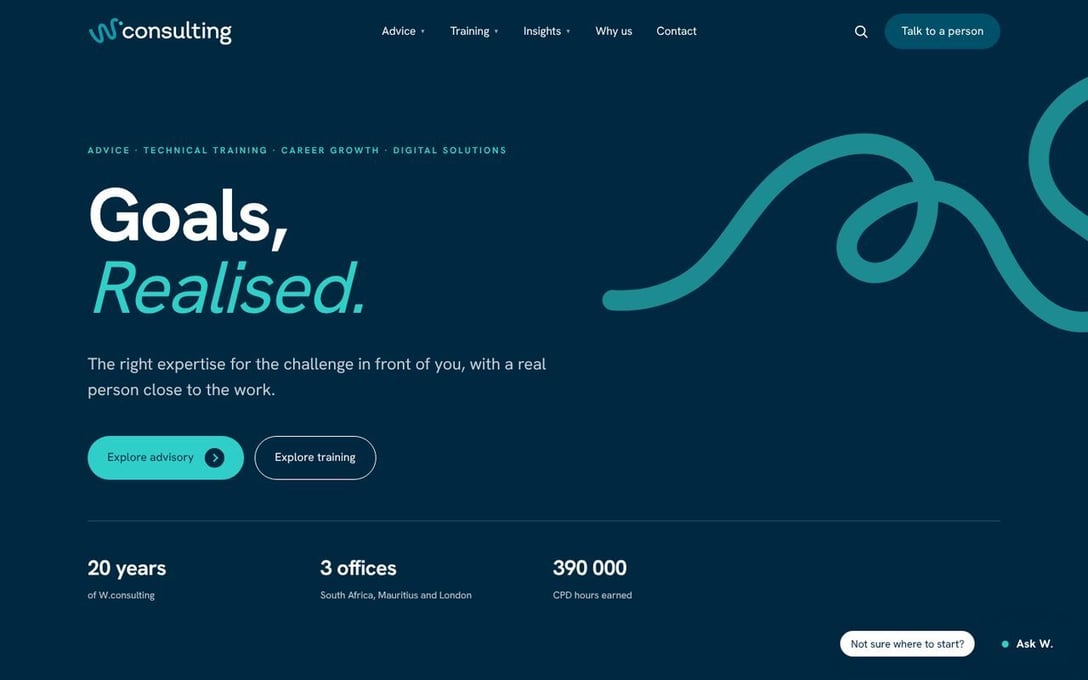
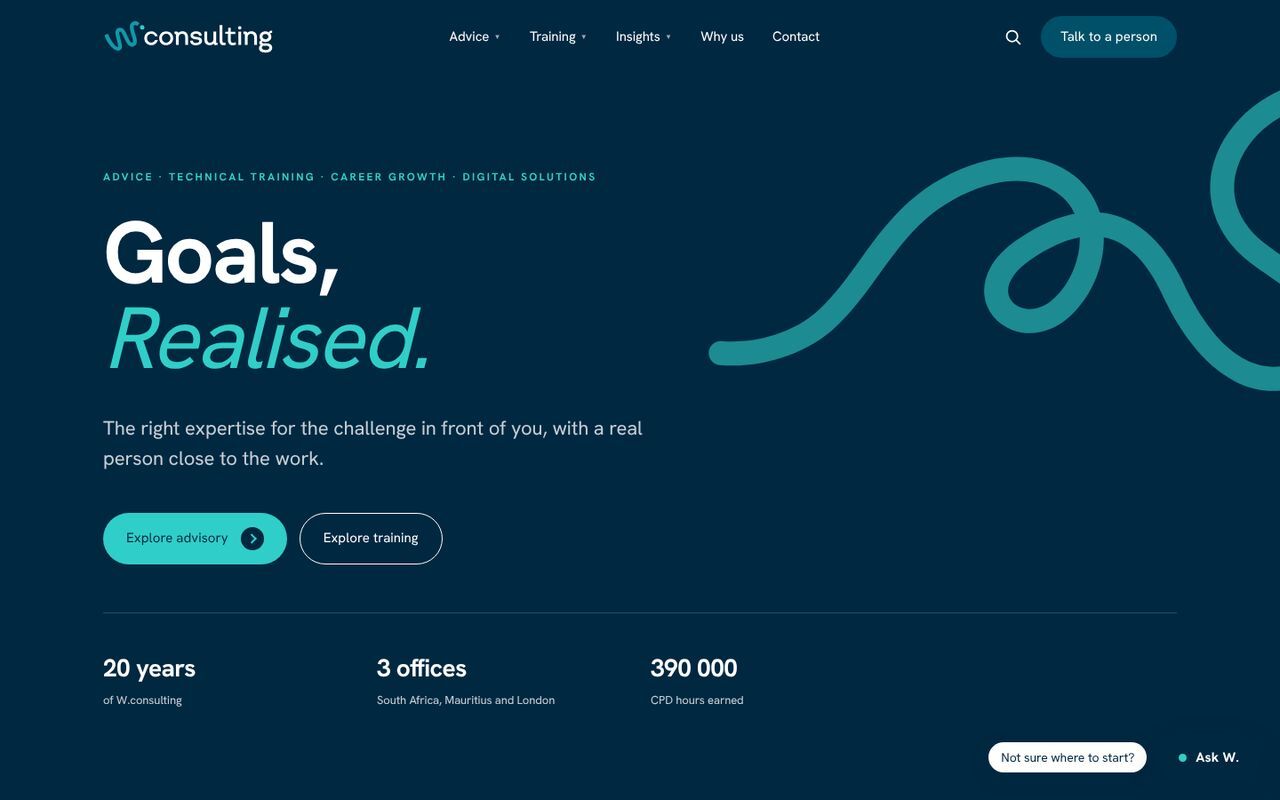
Screenshot of W.consulting

W.consulting

A full theme, module library and 25 pages, shipped in step with a brand launch.

Agents did the first draft of structure, templates and content migration. The architect decided, reviewed and shipped. This is the agent-accelerated path, in production.

See it live

// how it is built

  • Guardrailed coding agents on the muloo theme
  • Every change reviewed by a HubSpot engineer
  • Automated redirect, link and schema checks
  • Module library handed over, documented

Why HubSpot CMS

All in one, connected to the CRM. Nothing to host, patch or stitch together.

WordPress is a CMS plus hosting plus a security plugin plus a forms plugin plus an analytics tag plus a CRM connector, each with an owner and a renewal. HubSpot is one platform, and every visit lands on a contact record your sales team already uses.

  • Global CDN and hosting

    Fast everywhere, SSL and uptime handled. No hosting bill, no server to maintain.

  • Security and patching

    No plugin stack to update. HubSpot runs the platform, firewall and compliance.

  • CRM-native forms and CTAs

    Every submission becomes a contact with source, pages viewed and campaign attached.

  • Personalisation built in

    Smart content by list, lifecycle stage, country or device. No third-party tool.

  • Analytics and attribution

    Traffic, contacts and revenue in one report, so you know which pages make money.

  • Content Hub tooling

    SEO recommendations, A/B testing, AI content assistant, memberships, HubDB.

What HubSpot CMS can do

Most HubSpot websites use a tenth of the platform.

These are the parts that turn a site into a salesperson. We wire each one in from day one, not after launch.

  • Theme and module library

    Content Hub

    A governed theme with constrained modules. Marketers assemble pages; the system keeps them on brand.

  • Drag-and-drop editing

    Editor

    Sections, columns and modules rearranged in the editor. No developer time to change a word, an image or a layout.

  • Smart content and personalisation

    CRM

    Swap headlines, CTAs and modules by lifecycle stage, list membership, country or device. Driven by the CRM record, not a plugin.

  • Dynamic pages

    HubDB

    Team, locations, case studies, product catalogues: one template, one table, hundreds of pages that update when the data does.

  • Gated and private content

    Memberships

    Member-only resources and client portals with CRM-based access, so sales knows exactly who read what.

  • Multi-language sites

    Multi-language

    Language variants, hreflang and translation workflows on one domain structure. EPI-USE Brasil runs this way today.

  • SEO and performance tooling

    SEO

    Schema markup, redirect management, topic clusters and Core Web Vitals handled in the theme, with HubSpot recommendations on top.

  • Built to be quoted

    Answer engines

    Direct answers, FAQ schema and clean headings, so ChatGPT and Google AI Overviews can cite the page rather than paraphrase a competitor.

What you get

A theme, not a set of pages.

Pages are disposable. The system underneath them is the asset. Every module reads the same brand tokens, so a colour change in theme settings reaches every page in seconds, and a new page type takes hours rather than a sprint.

  1. Design tokens as theme fields. Colours, type, spacing and radii, editable in HubSpot without touching code.

  2. Modules your team can use. Every module has constrained fields, so the site cannot be broken by someone editing a page on a Friday.

  3. Built to be found. Clean heading structure, real schema markup, fast Core Web Vitals and answer-engine-ready content blocks.

  4. Versioned and documented. Theme in Git, deployed with the HubSpot CLI, handed over with docs. No lock-in.

// module library · this site24 of 50 modules

  • Hero, home

    section

  • Hero, page

    section

  • Hero, build scene

    section

  • Hero, offer

    conversion

  • Logo marquee

    proof

  • Stat band

    proof

  • Case study cards

    proof

  • Testimonials

    proof

  • Live site tiles

    proof

  • Showcase selector

    proof

  • Card grid

    content

  • Symptom cards

    content

  • Process steps

    content

  • Two-speed process

    content

  • Spec table

    content

  • FAQ accordion

    content

  • Answer block

    answer engines

  • Team cards

    people

  • Form block

    conversion

  • Meetings embed

    conversion

  • CTA band

    conversion

  • Ads ROI calculator

    tool

  • Resource library

    dynamic

  • Guided search

    navigation

The library this page is built from. Yours is built to your brand and your journeys.

How it runs

Structure. Design. Build. Launch. Two speeds.

Both paths ship on the same theme, through the same senior engineer and the same review. The difference is who does the first draft of each step, and how long it takes.

Human-led

  1. 01wk 1–2

    Structure

    Sitemap, journeys and the conversion path, agreed in workshops before anything is designed.

    Senior architect + your team

  2. 02wk 3–5

    Design

    A design system and key templates, not fifty individual page designs. Reviewed in Figma, signed off once.

    Designer + architect

  3. 03wk 6–11

    Build

    Theme and module library hand-built in staging, reviewed on real devices, content loaded page by page.

    HubSpot engineers

  4. 04wk 12–14

    Launch

    Redirect map, analytics, forms tested end to end, then go live. Thirty days of fixes included.

    Engineer + your team

Typical timeline
Eight to fourteen weeks
Who does the first draft
Our engineers
Where the engineer sits
Every step
Best for
New brand, complex content, many stakeholders

Agent-accelerated

  1. 01days 1–3

    Structure

    Agents crawl your current site and CRM, draft the sitemap and journeys. The architect edits, you approve.

    Agent drafts · architect decides

  2. 02days 4–7

    Design

    Brand tokens applied to the muloo theme. Key templates generated in-browser from your brand guide, then tuned by hand.

    Agent drafts · designer tunes

  3. 03wk 2–3

    Build

    Coding agents assemble pages from the module library and migrate content. Every change reviewed and merged by a HubSpot engineer.

    Agent builds · engineer reviews

  4. 04wk 4

    Launch

    Automated redirect mapping, link and form checks, schema validation. Human sign-off, then go live.

    Agent checks · engineer signs off

Typical timeline
Three to five weeks
Who does the first draft
Guardrailed agents
Where the engineer sits
Review and sign-off
Best for
Clear brand, deadline-driven, 10–40 pages

Agent-accelerated builds run our own guardrailed coding agents on the muloo theme: scoped permissions, logged actions, and a HubSpot engineer reviewing every change before it reaches your portal. Nothing ships unreviewed on either path.

Free, and yours to keep

Find out what is actually wrong with your portal.

An automated score of ownership, pipeline hygiene, data quality and admin access. The score is yours whether you work with us or not.

  • Portal health
  • Workflow audit
  • Data hygiene

Get my free score

Scope and shape

Every engagement is scoped properly before it starts.

Duration
Eight to fourteen weeksCopy and imagery are usually the critical path, not the build. Agent-accelerated runs three to five.
You supply
Brand, copy direction, approvalsWe can write, but somebody on your side has to be able to sign it off.
Content Hub
Scoped to the tier you ownDynamic pages and A/B testing need Professional, and we say so up front.
After launch
Thirty days of fixes includedThen either your team runs it or we run it on a retainer.

Before you ask

The questions we get on this one.

Why HubSpot CMS rather than WordPress?

Because the CRM is already there. Forms, CTAs, lists, personalisation and attribution work without a plugin layer to maintain, and there is no separate hosting or security patching to own.

Is the agent-accelerated build lower quality?

No. It ships on the same theme and module library, and a HubSpot engineer reviews every change before it reaches your portal. What changes is the speed of the first draft, not the standard of what goes live.

Can we migrate our blog?

Yes, with URLs preserved and redirects mapped. Losing rankings in a migration is a planning failure, not a platform one.

Will we need you for every change?

No, and that is the point of building it as a module library. If you need a developer to change a word, the build was done wrong.

Already know you need this?

Skip the checks. Book 45 minutes.

Tell us what is going on and we come to the call having already looked at your site and portal. If we are not the right fit, we say so.

Talk to us about a website build

Tell us what is going on.

One form, one reply, from the person who would do the work.

  • A reply within one working day
  • From a dedicated specialist, not an account manager
  • A real person reads every message

Rather pick a time now?

Book a call

Protected by reCAPTCHA. We do not sell, share or rent your details.